On this page
A running Pico can keep printing over USB while it samples a sensor or drives a display. I wanted to see that output as soon as I connected. Browsing the Pico’s files is a separate operation. It requires the interpreter’s attention, and interrupting the program just to see whether the board is alive would get in the way.
Connect first, stop when you need to
Pico Studio opens the serial port and listens. When I need to read or write files, I click Stop / enter REPL. That interrupts the running program without soft-resetting the interpreter. From there I can open main.py, edit it and save it back to the board. The editor runs Python syntax checks and Pyflakes on the desktop. It can underline a misspelled variable before I send the file. Whether a particular pin or board-specific API works still has to be checked on the Pico.
A folder upload can fail halfway through
Suppose the project has a main.py and a lib/helper.py. Upload a ZIP to the root of the Pico and those files land at /main.py and /lib/helper.py. Studio unpacks the ZIP on the computer and checks the paths before it starts writing. Each file goes to a temporary sibling before it is renamed into place. That protects an individual file if the transfer drops partway through. If a later file fails, earlier files may already have been replaced.
Where the resource numbers come from
When I opt in to live resources, Studio starts a small helper on the board. The helper sends structured samples over the same serial connection as the program’s print output. Studio separates the samples from the console so I can read a log line alongside the heap history. The heap reading describes MicroPython’s managed heap, and the clock reading is a frequency in hertz. A busy interpreter can delay samples.
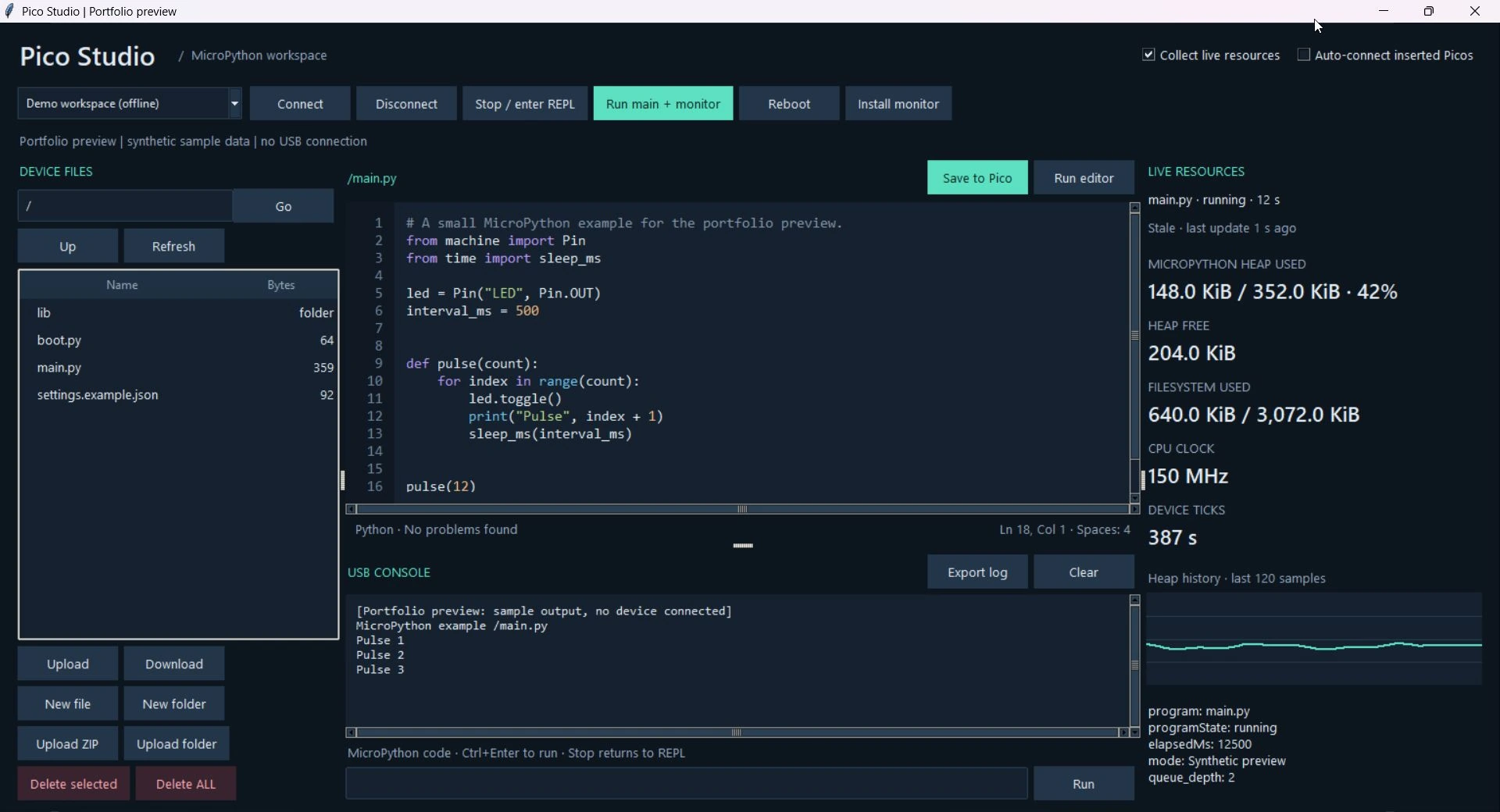
The screenshot uses offline sample data. The Pico Studio project gallery also shows what an undefined name looks like in the editor before the code reaches the board.
On 64-bit Windows, download PicoStudio.exe from the project page and run it. The executable bundles Python, Tkinter and the USB tools.
THE CONVERSATION
What do you think?
A question, a different approach, or something worth adding.
Loading the conversation…
KEEP EXPLORING
More from the workbench
START A CONVERSATION
Have a problem worth solving?
Let’s talk about your idea, your team, or the work you’ve seen here.